
Greater visibility into deleted and merged studies in Eden Intelligence
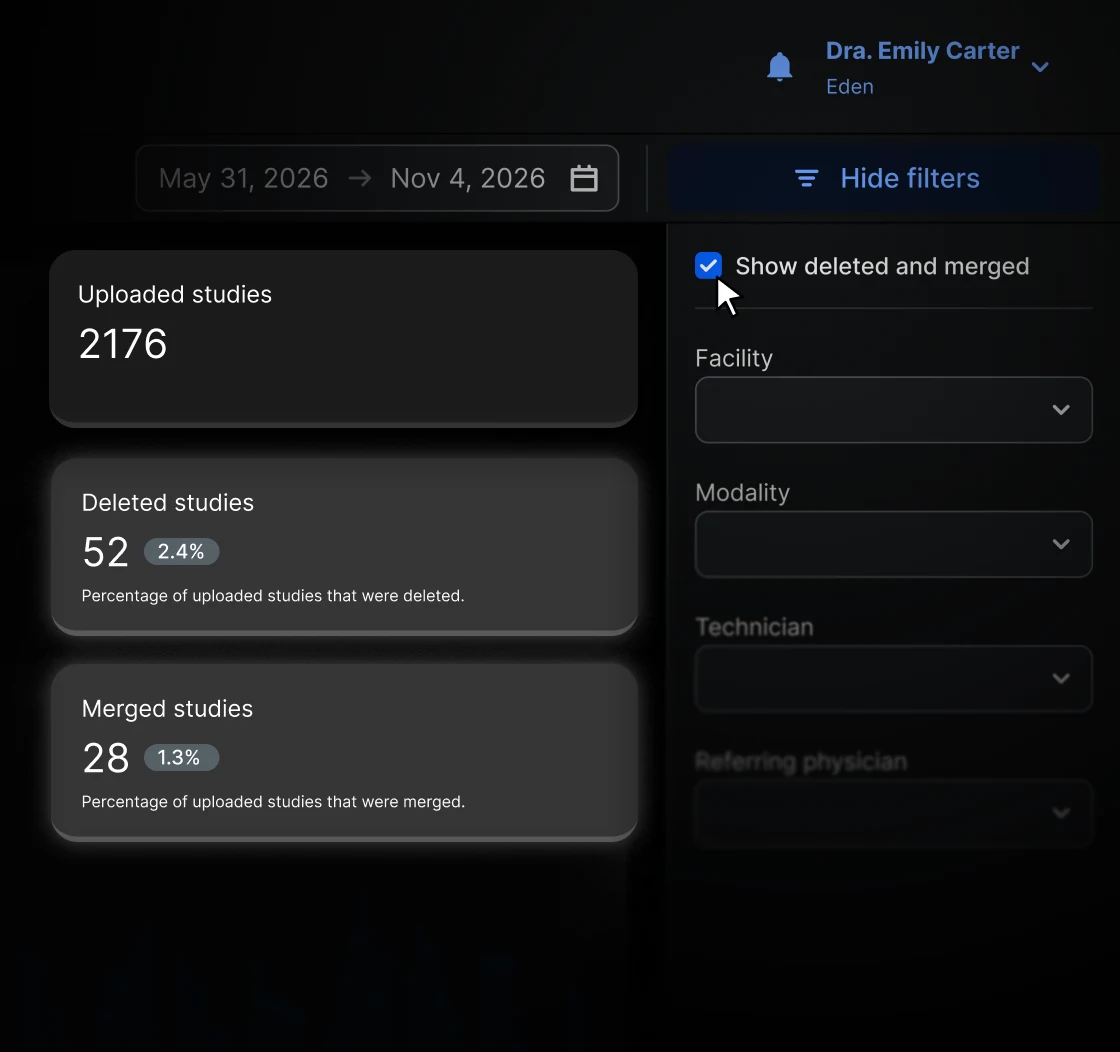
To simplify study tracking and provide greater transparency into operational metrics, Eden Intelligence now offers a detailed breakdown of deleted and merged studies. This update helps healthcare institutions distinguish between the number of exams uploaded and those currently visible in their PACS, making it easier to reconcile study volumes with billing records.
What is it?
An update to the Uploaded Studies section of Eden Intelligence that allows users to view deleted and merged studies separately.
Previously, both categories were grouped under a single metric. Now, the system distinguishes between deleted studies and those merged with other studies, providing a clearer picture of the institution's imaging activity.
What is it for?
This improvement helps administrators and operational teams:
- Track how many studies were deleted or merged within a selected period.
- Understand discrepancies between uploaded studies and those currently visible in the PACS.
- Simplify billing reconciliation with a detailed breakdown of processed studies.
- Analyze and export study metrics for administrative reporting and operational monitoring.
How does it work?
In the Uploaded Studies section of Eden Intelligence, users can enable the Show deleted and merged checkbox in the filter menu to include both categories in their metrics.
Once enabled, the dashboard displays:
- Separate metrics: Two cards showing the number of deleted and merged studies, along with their respective percentages of total uploaded studies.
- Visual trends: Distinct lines on the uploaded studies chart to track uploaded, deleted, and merged studies by day, week, or month.
- Detailed breakdown: Additional columns for deleted and merged studies in the table associated with the uploaded studies chart, also available in CSV exports.
The checkbox remains disabled by default, allowing users to include these additional metrics whenever needed.
How does it improve your workflow?
Previously, reconciling billed study volumes with those visible in the PACS could require navigating multiple sections or requesting additional clarification. With this update, administrators can identify discrepancies directly from a single dashboard and access the information needed to verify processed study volumes. This simplifies administrative workflows, reduces manual reconciliation, and improves clarity when reviewing billing records.