
Whitepapers
As capacidades mais recentes do Diagnostic OS
.png)
Remove Image Obstructions with 3D Clipping
.png)
.png)
.png)
Ver tudo
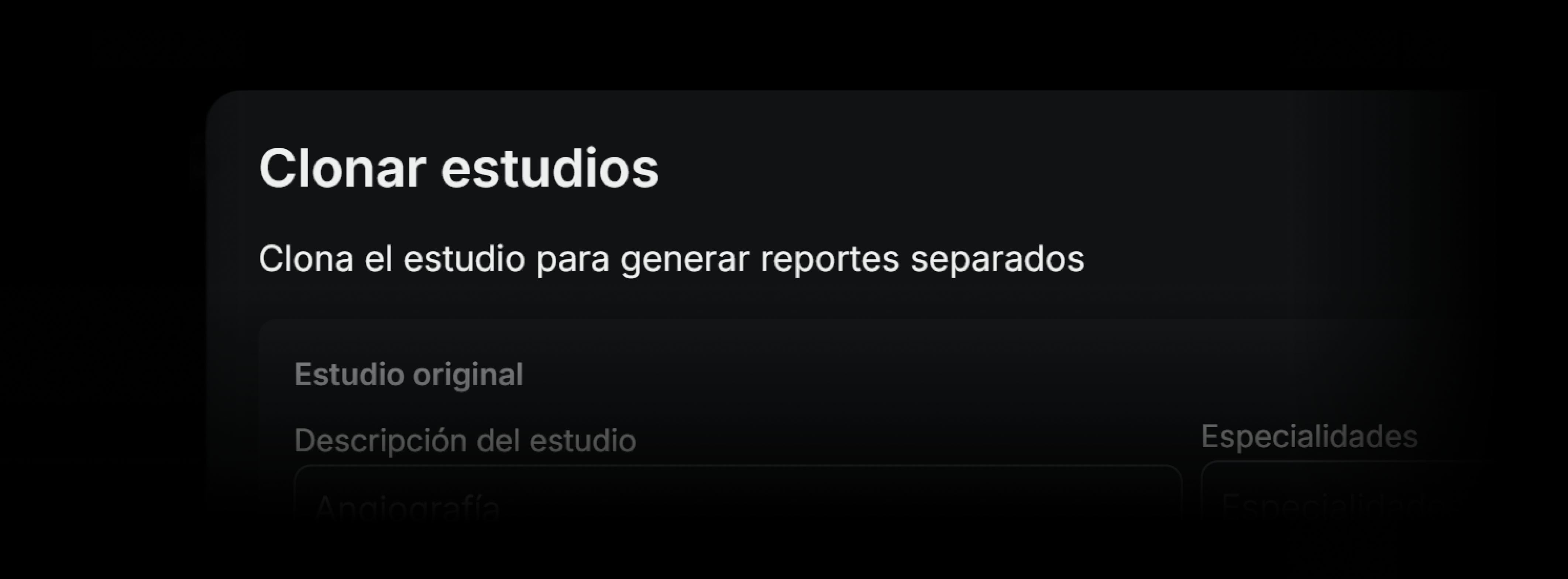
Deliver Specialized Results with Study Cloning
As part of the enhancements to the RIS-PACS system, the ability to clone a study has been added, allowing the generation of independent copies, each with its own report. This functionality provides greater clinical flexibility when reading studies that cover multiple anatomical regions or need to be addressed by different subspecialties.
What it is
This is a tool that allows the radiologist to duplicate a study from the reporting panel. Each generated clone behaves as an independent study: it can have its own study type, specialty, report status, and signature, without altering the original. The system allows the same study to be cloned multiple times if needed.
During the process, the user can assign a new name to each clone, select the corresponding specialty, and decide whether to keep or delete the original report. If the study does not yet have a report started, the option to keep the original report appears disabled.
When a study, due to operational design, was not separated at the time of acquisition or through the sending workflow from the technologist, it is now possible to do so directly from the viewer, without the need for reprocessing in PACS or resending from the technical console.
What it is for
The cloning tool is especially useful for:
- Radiologists who receive whole-body or multi-region studies and wish to report them separately.
- Subspecialists who wish to divide studies by organ or system (for example, one clone for the chest and another for the abdomen).
- Cases where multiple radiologists need to sign different sections of the same original study.
- Preparing independent versions for research, teaching, or external review.
How it affects the clinical workflow
Previously, radiologists had to report long or complex studies in a single report, making organized reading by region difficult. Now, with cloning, studies can be separated according to clinical logic without depending on the technical origin. This improves report traceability, subspecialty assignment, and clarity for the referring physician.
The original study remains as a reference, but each clone follows its own path for signature, status, and interpretation. It can also have its own images, key, and findings.
What changes compared to previous versions
Basically, this possibility did not exist before, and users needed to carry out the process from the RIS through the administrator.
Implications for the user
The cloning feature changes the way radiologists can organize and distribute the reading of complex studies. Instead of forcing a single report with multiple findings, it is now possible to separate content in an orderly way, facilitating specialization, distributed signing, and clinical prioritization.
It also eliminates the need for technical reprocessing when a study was not correctly segmented from the console. This represents an operational saving and an improvement in the clinical user experience.
Final considerations
The cloning tool is designed to improve the organization and traceability of the medical report, especially in scenarios of high anatomical complexity or collaborative work. Its implementation should be accompanied by clear protocols for naming and assigning clones, so that the integrity of the original study is not lost.
The correct use of cloning can result in higher report quality, better distribution of work among subspecialists, and greater clarity for the treating physicians.
Have you tried it yet? If you have any questions, our team of experts is ready to help you in the Eden PACS support chat, or by email at soporte@edenmed.com
.png)
Speed Up Clinical Comparisons with Anatomical Synchronization
As part of the advanced navigation tools in the medical imaging viewer, the RIS-PACS system incorporates the anatomical synchronization feature. This allows the radiologist to simultaneously navigate to the same anatomical region across different series, modalities, or studies, facilitating comparison and improving efficiency in interpretation.
What It Is
Anatomical synchronization is a viewer capability that detects the anatomical correspondence between two or more series or studies and automatically adjusts the viewpoint, slice, and orientation of all linked images, regardless of differences in acquisition, slice thickness, or protocol.
It can be applied to comparisons within the same study (e.g., T1 and T2 in MRI) or between different studies (e.g., prior CT vs. current), allowing a pan or zoom in one series to be replicated at the equivalent location in the others.
What It's For
Anatomical synchronization enables:
- Directly comparing findings between studies with different acquisitions.
- Reducing the time spent manually searching for the same region in prior studies.
- Improving accuracy in evaluating subtle changes in lesions or structures.
- Ensuring anatomical alignment, even with different patient positions or technical parameters.
- Integrating comparison with other tools such as synchronized scroll, zoom and WWWC
How It Affects the Workflow
Previously, the radiologist had to manually navigate each series or study to find the same anatomical level or region, which generated more clicks, movements, and risk of error in comparisons. Now, with anatomical synchronization, a single movement in one series moves all the others to the equivalent point, maintaining orientation and scale, and avoiding loss of reference. This speeds up the review of comparative studies, especially in contexts of oncological follow-up, postsurgical monitoring, or progression of chronic diseases.
Implications for the User
The radiologist can enable or disable anatomical synchronization as needed. The feature is compatible with other viewer synchronizations (scroll, zoom, WWWC) and can be configured to work only between specific series or between complete studies.
For optimal performance, studies must have complete and consistent DICOM data in the position, orientation, and spacing fields, or spatial registration maps when different modalities are used.
Final Considerations
Anatomical synchronization is a key tool for environments that require fast, precise comparative reviews. It does not replace clinical judgment, but it improves the speed and consistency of reading, especially in reviews involving multiple studies and modalities. It is activated instantly from the viewer's control panel and requires no additional software installation.
Have you tried it yet? If you have any questions, our team of experts is ready to help you in the Eden PACS support chat, or by email at soporte@edenmed.com
.avif)
Build Your Ideal Workspace: Customize Your Columns in Eden PACS
As part of the worklist module update, the RIS-PACS system now offers the ability to customize the display of each list through a simple menu that allows columns to be shown, hidden, and dynamically reordered. This feature aims to improve the user experience and adapt to the preferences of each radiologist or operations coordinator.
What It Is
It is a tool built into the worklist configuration menu that offers two main capabilities:
- Selecting which columns are shown and which are hidden, based on the relevance of each role.
- Reordering the columns by dragging them within the same menu, without needing to leave the work screen or resort to advanced settings.
Applied changes take effect immediately and are saved as a user preference, ensuring that the list is always displayed with the same customized layout.
What It's For
Column reordering allows each user to adjust the list interface according to their priorities. It is especially useful for:
- Radiologists who want to see key clinical information first (e.g., priority, institution, modality).
- Coordinators who need to highlight SLA, assignment, or operational status.
- Multisite teams that handle large volumes of studies and require clearer on-screen filters.
- Fast-reading contexts where minimizing navigation steps speeds up interpretation.
How It Affects the Workflow
Previously, the study list had a fixed column structure that did not always meet each user's needs. Now, with this new tool, each radiologist can organize the view according to their own workflow logic, which reduces search time, facilitates study prioritization, and improves individual productivity.
What Changes Compared to Previous Versions
Previously, there was no way to customize the columns directly from the viewer. Changes had to be requested from an administrator or were limited to global settings. With this new feature, the end user has full control and can reorganize their interface immediately and independently.
Implications for the User
The user gains greater control over their work environment, adapting the interface to their specific needs without relying on technical support. This allows each radiologist to work with their own layout, while the institution maintains full traceability of studies.
Final Considerations
Column reordering turns the worklist into a flexible, customized tool that adapts to both individual radiologists and coordinators of large teams. Its use facilitates clinical prioritization, improves visibility of critical data, and optimizes efficiency in study management.
Have you tried it yet? If you have any questions, our team of experts is ready to help you via Eden PACS support chat, or by email at soporte@edenmed.com
.avif)
Drive Institutional Excellence with Peer Learning
As part of Eden PACS's clinical excellence mechanisms, a new layer of control has arrived that allows peer review of studies to ensure diagnostic quality and continuous learning.
This feature ensures clear traceability of physician performance and institutional standards, and serves as an unprecedented competitive advantage for institutions of any size.
What it is
The peer learning tool enables peer reviews to be activated for any study within the institution. The assigned physician can access the study to fill out a digital form tailored to the institution's evaluation needs. Afterward, the user who originally interpreted the study will receive the feedback by email.
What it's for
- Ensuring clinical quality in the diagnoses generated by your institution.
- Maintaining traceability and compliance with diagnostic standards.
- Fostering the exchange of knowledge among colleagues.
- Generating metrics to evaluate clinical or contractual performance.
Workflow
Previously, peer feedback only took place in academic settings, with manual, exhaustive forms that disrupted the workflow. Now, with peer learning, any institution can implement digital feedback systems to ensure the highest quality standard.
Users receive feedback directly by email. The result of each review is automatically logged and can be viewed in operational reports or dashboards focused on quality.
Implications for the user
By having access to peer reviews without significant adjustments to their workflow, radiologists can ensure diagnostic quality and continue the learning process expected of their profession. Institutions can use these results to validate clinical performance, ensure excellence and increase their study volume.
Peer learning is a key tool for improving the quality of radiological service, especially in settings with multiple radiologists, differentiated contracts, or demanding institutions where excellence is a competitive advantage.
Its implementation does not require changes to the viewer or the reading console. It can be configured from the RIS/PACS administration panel and adjusted according to the institution's needs.
Have you tried it yet? If you have any questions, our team of experts is ready to help you in the Eden PACS support chat, or by email at soporte@edenmed.com
.png)
Minimize Your Film Consumption with On-Demand Printing
Eden PACS has incorporated a new on-demand printing tool that allows images to be exported and printed directly from the reading environment, without needing to leave the viewer or use intermediate stations. This feature is designed to provide greater autonomy, precision, and flexibility when documenting or sharing findings.
What it is
It is a tool integrated into the viewer that allows the user to generate customized printouts of DICOM images in different formats, sizes, and resolutions. From the top menu, users can access the printing options, select the orientation and paper type, and export directly without loss of quality.
This way, the process is under the user's full control, reducing the use of duplicate films and minimizing printing to only when the physician or patient requires it.
What it's for
On-demand printing allows you to:
- Document findings for clinical reference or a second opinion.
- Include selected images in patient reports.
- Prepare deliverables for patients who require them.
- Support material for academic presentations or interdisciplinary sessions.
In addition, this feature is especially useful in modalities where printed images are still used as visual support, such as mammography, interventional radiology, orthopedics, and oncology.
How it affects the workflow
Previously, printing an image required exporting it manually, opening other software, or relying on specific stations. Now, everything can be done from the viewer, without interruptions or loss of quality.
This speeds up the workflow, reduces unnecessary steps, and gives the user greater control over the final format. It also allows for a faster response to requests from patients, referring physicians, or administrative situations.
What changes compared to previous versions
- Printing no longer depends on external stations or intermediate exporting.
- The user can choose standardized sizes (Letter, A4, DICOM 14x17, among others) and adjustable resolutions.
- Alignment options, label display, and compression levels are included.
- The process is immediate and integrates into the reading workflow without affecting viewer performance.
Implications for the user
Users gain autonomy in preparing visual material, without relying on technical support or additional steps. The feature is available for all studies, provided export or printing permissions are enabled.
It is advisable to define internal policies on what type of printouts are allowed, with what level of identification, and for what clinical or administrative purposes.
Final considerations
On-demand printing is a tool designed to meet the real needs of the modern clinical environment: fast, configurable, and user-centered. It allows images to be exported with diagnostic quality, in formats compatible with paper, medical documents, or physical deliverables.
Have you tried it yet? If you have any questions, our team of experts is ready to help you through the Eden PACS support chat, or by email at soporte@edenmed.com
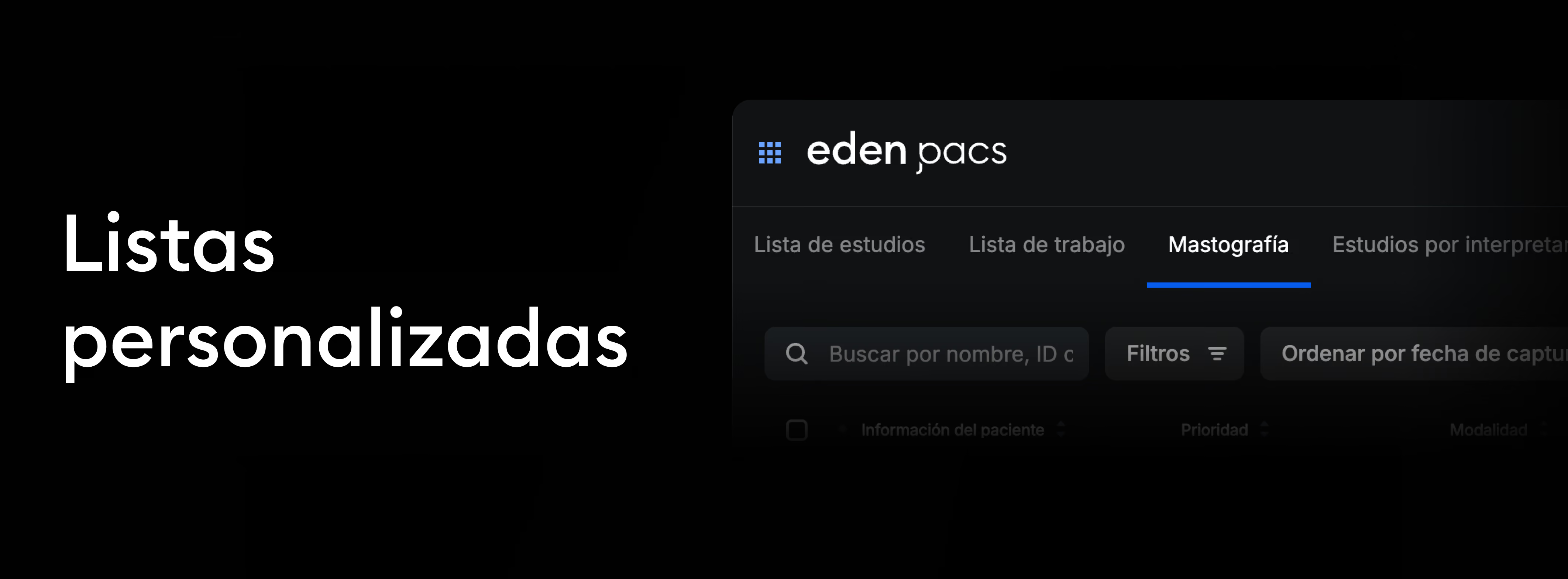
Your Studies, Organized Your Way with Custom Lists
Now, your study lists adapt to you. With the new custom lists feature in Eden PACS, you can filter groups of studies, save your frequent searches, and access them instantly.
It streamlines the radiology workflow and optimizes collaboration between teams, providing real-time visibility of:
- Assigned studies pending sign-off, for individual radiologists.
- Emergency studies, for shift leads in hospital settings.
- Subspecialty studies, for specialist physicians.
- The status of each study, for institutions following operational agreements.
How it affects the workflow
Previously, users accessed a generic list that required applying manual filters each time. Now, they can have smart, persistent lists that load automatically with a single click. This reduces operational time, improves visibility of study status, and allows for more efficient workload distribution among teams.
Each user can create multiple lists and switch between them according to their needs without losing previously configured filters.
There are two types of custom lists in Eden PACS:
- Institutional lists: configured by the organization for all its users, optimizing workflows and ensuring adherence to standardized protocols. These lists can only be edited or deleted with the support of the Eden technical team.*
- Personal lists: created by the user according to their preferences and can be viewed, modified, or deleted at any time. These lists will only appear for the user who created them, and will not be visible to other users in the organization.
*To request the creation of an institutional list, contact our experts at soporte@edenmed.com
How to create your own custom list
- Navigate to your study list and click the "Filters" button. In the filtering modal, choose your search criteria.
- At the bottom left of the modal, click "Save as custom list".
- Give your list a name and save it. Now, you'll be able to access it with a single click every time you log into your Eden PACS account.
If you want to edit your custom list, simply click "Filters".
- To adjust the list, select the filters you want to display and click "Save changes to list".
- To delete the list, click the "Delete" button.
It facilitates the traceability, prioritization, and coordination of key studies, optimizing radiology operations in highly complex environments. Start creating custom lists today in Eden PACS.
Have you tried it yet? If you have any questions, our team of experts is ready to help you via the Eden PACS support chat, or at soporte@edenmed.com

Interpret Without Delays with Study Preloading in Eden
As part of the viewer optimization and improved radiologist experience, we have implemented a study preloading tool. This feature allows studies to be selected directly from the Worklist for early download to the local server or viewer cache, achieving speeds up to 100 times faster and reducing opening times during reading.
What it is
A feature that enables proactive downloading of one or several studies from the Worklist without needing to open them immediately. This way, when the radiologist accesses the study, the images are already available locally, minimizing load latency, especially over remote connections or with complex studies (MRI, multi-series CT).
What it is for
- Reduces waiting times during reading.
- Optimizes the radiologist's session by preparing upcoming cases.
- Increases productivity on high-volume days.
- Facilitates the reading of heavy modalities, such as MRIs, mammograms, or multiphase studies.
Impact on workflow
Previously, each study was downloaded upon opening, causing delays. Now, the radiologist or technologist can preselect the studies to be read in the next session, ensuring instant availability when needed.
It is especially useful in hybrid environments (cloud + local) or in teleradiology, where download speed directly affects efficiency.
Changes to your PACS
- The Worklist preloads automatically upon logging into Eden PACS.
- New column to preload or remove the preload of all studies simultaneously.
- Option to manually select and preload studies in the Worklist, study lists, or custom lists.
- Visual indicators of download status:
- Gray: Not preloaded.
- Blue: In progress.
- Green: Preloaded.
- The cache is managed automatically, freeing up space after studies are signed off or after a 24-hour period. The download will also be removed if the user logs out of their Eden account.
Implications for the user
Preloading offers a smoother experience, eliminating dead time and allowing the radiologist to focus on interpretation.
Important: Preloading is local to a single device; if you switch workstations, studies will need to be preloaded again. It does not alter study content, only makes it available earlier.
Usage recommendations
- Heavy studies or those with multiple series.
- Case lists for batch reading (e.g., shift planning).
- Scenarios with limited connectivity, where every second impacts productivity.
Have you tried it yet? If you have any questions, our team of experts is ready to help you via the Eden PACS support chat, or at soporte@edenmed.com

Maximize Your Workspace with the New Horizontal Bar
In Eden PACS, you own your space. Now you can choose how to view the new and improved horizontal series bar, designed to streamline your radiological interpretation.
Dynamic bar
The new series bar is located at the bottom of the DICOM viewer and remains hidden by default, creating more display space to view the full image without obstructions.
- To navigate the studies bar, simply move your cursor toward the study tab in the bottom bar.
- If you want to keep the bar visible, click the lock icon to pin it. This way, you can maintain visibility of all images.
Series, all-in-one
The new bar also includes a combined series that brings together all the images in the study so you can view them all at once, in the same place, with just a scroll.
Related studies
The series bar also lets you view all studies generated for the same patient*, making it easier to compare previous studies for a more complete interpretation.
Simply navigate to the study you want to review and click the series you want to see. In the additional actions section (፧) you can:
- View and/or edit the study information
- Open the DICOM study in a new window
- View additional study files
- Download the study in DICOM format
- Download the study in PDF format
Identification errors
In addition, you will be able to identify studies with "identification errors." This feature detects when the patient information partially matches your current case but shows discrepancies such as phone number or ID. This way, you can correct capture errors without losing access to studies that could be relevant to the diagnosis.
Your interpretation, now more agile, precise and complete, all from Eden PACS. Discover the new series bar today in your DICOM viewer, or request it from your nearest representative.
Have you tried it yet? If you have any questions, our team of experts is ready to help you in the Eden PACS support chat, or by email at soporte@edenmed.com
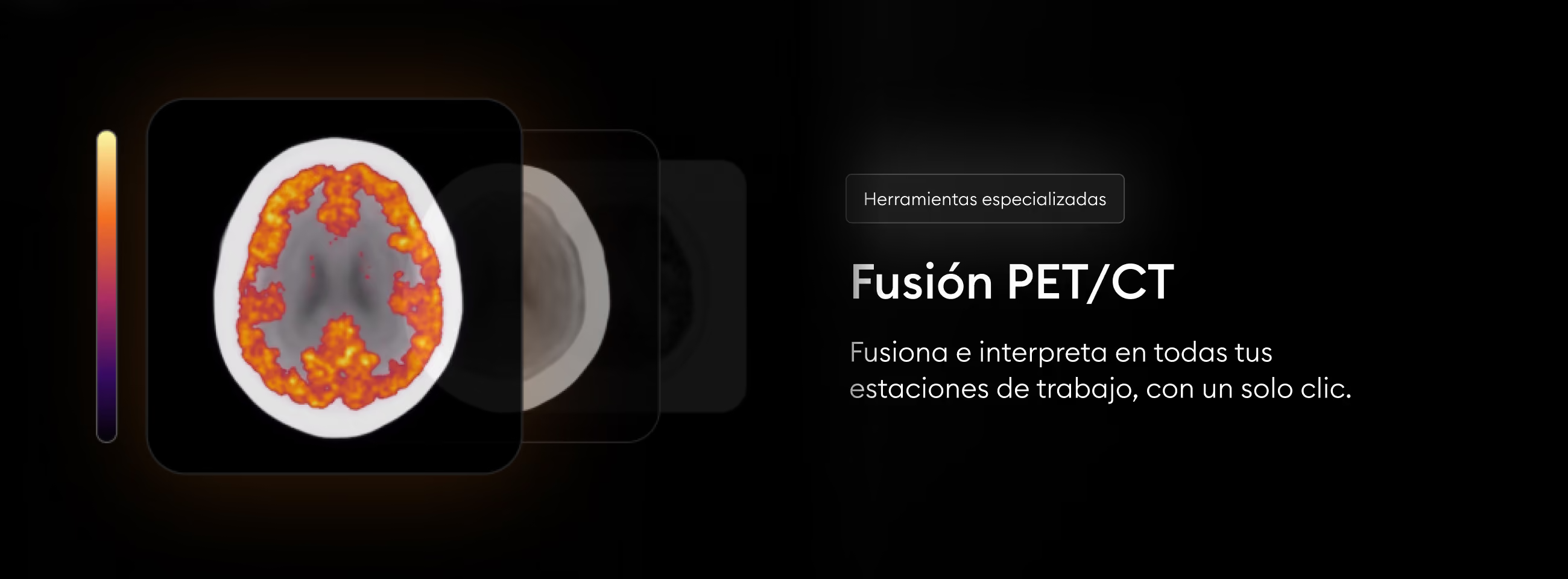
Reveal the Invisible Instantly with PET/CT Fusion in Eden PACS
Make the invisible visible with a single click. Use the PET/CT Fusion tool to combine the metabolic information of a PET with the anatomical precision of a CT, visualizing critical details for the highest standard of diagnosis.
Use PET/CT Fusion instantly across all your workstations, at no cost for additional licenses or local equipment. All from Eden PACS.

Security and Compliance: Two Reasons to Switch to a Cloud PACS
In the midst of the digital era, radiology and imaging institutions face a triple challenge: ensuring maximum protection of sensitive clinical data, maintaining strict regulatory compliance, and modernizing their technology infrastructure efficiently. On-premises PACS systems have made it clear that they are not up to this challenge; the answer lies in a system that is 100% cloud-native.
Data security as an absolute priority
Cyberattacks against healthcare institutions have doubled in recent years, and the number continues to rise. Sources report that the healthcare sector frequently operates with outdated IT systems that are difficult to operate and costly to maintain. This leaves institutions vulnerable to security gaps and cyberattacks.
Faced with this reality, Eden RIS/PACS offers protections that far exceed those of on-premises systems, operating 100% cloud-native with an infrastructure backed by AWS:
- AES-256 encryption for both data at rest and in transit, ensuring protection against unauthorized third parties.
- Data protection systems under ISO 27001 guidelines, an international certification.
-
Hassle-free regulatory compliance
Regulations such as HIPAA (Health Insurance Portability and Accountability Act) and local data protection laws impose increasingly strict requirements on healthcare institutions. Eden PACS solves this challenge:
- Complies with the industry's main regulatory standards, including HIPAA, ISO 13485, and local certifications in 18 countries.
- Being cloud-native, it updates automatically to comply with regulations and strengthen security systems without requiring external intervention.
-
Your radiology institution, safer and more efficient
In addition to its security and compliance advantages, Eden PACS's cloud-native infrastructure offers large-scale benefits for radiology institutions:
- Reducing costs in on-premises infrastructure, maintenance, and IT staff
- Enabling secure access to imaging studies and clinical data securely, allowing radiologists to work remotely without risk.
- Providing immediate scalability to continue adapting to your institution's growth, staying up to date without requiring new hardware investments.
-
Conclusion
In a landscape where cyber threats are increasingly sophisticated and regulations more demanding, Eden PACS represents the logical evolution for radiology departments. It is not simply about adopting new technology, but about ensuring operational continuity and protecting what matters most: your patients' data and your institution's reputation.
Eden's 100% cloud-native infrastructure is specially designed to maintain excellence in security and compliance while boosting your institution's efficiency. See for yourself: schedule a demo today at edenmed.com/agenda-demo
.avif)
Reveal Every Last Detail with 3D Window Adjustments
In a 3D reconstruction, it is critical to visualize even the smallest detail to generate an accurate diagnosis. That's why you can now control the WW/WC settings in Eden PACS's advanced 3D.
With just a move of your cursor, you can adjust brightness and contrast values, highlighting critical elements of the reconstruction and eliminating visual noise.
To adjust WW/WC values in your advanced 3D
- Enter the Eden PACS 3D viewer or select an MPR layout that includes a 3D viewport.
- In the upper right corner, select the WW/WC tool.
- In the 3D reconstruction, click and drag your cursor up or down to adjust the values manually.
- To increase brightness, drag the cursor upward.
- To increase contrast, drag the cursor downward.
Window adjustments are now available for 3D reconstructions in your Eden PACS. Try it today: take control of your 3D visualization for a clearer, more precise interpretation, down to the smallest detail.
Have you tried it yet? If you have any questions, our team of experts is ready to help you in the Eden PACS support chat, or by email at soporte@edenmed.com

Signs It's Time to Change Your PACS System
In radiology, your tools dictate your workflow. That's why an outdated PACS system undermines productivity, patient care, and your lab's profitability. If you're facing any of the following issues today, it's time to consider an upgrade.
1. Slow image loading
A PACS that is slow to load images or access prior studies creates bottlenecks, affects the patient experience, and reduces responsiveness in emergencies. This not only reduces productivity at your institution, but also undermines your reliability and affects patient and referring physician retention.
With Eden PACS, that problem disappears. Its robust infrastructure, powered by AWS (Amazon Web Services), guarantees 99.9% uptime and fast access to images stored in the cloud.
2. Lack of integration with other systems
If your PACS doesn't communicate efficiently with your RIS, HIS, or other health systems, information exchange becomes slow and error-prone. Especially in institutions with multiple sites, interoperability is key to an efficient workflow.
Eden PACS has more than one hundred integrations that allow it to work alongside other systems and prevent data loss. In addition, together with the Eden Management RIS module, it is possible to create a single workflow for your entire institution, ensuring communication between branches from a single platform.
3. High maintenance and support costs
PACS systems require manual updates, physical servers, and constant maintenance, which translates into high operating costs. In addition, downtime caused by technical failures can affect productivity.
Eden PACS, being cloud-native, offers operational agility with uninterrupted updates, with no need to invest in local infrastructure or maintenance. In addition, the Eden team is available 24 hours a day to provide technical support, eliminating wait times and the need for additional hires.
4. Limited experience for physicians and patients
If your physicians cannot access studies outside the hospital, or your patients must pick up their results in physical form, your PACS is outdated. An updated system should offer secure remote access to speed up results delivery and ensure an outstanding experience.
Eden PACS goes further, sending digital results instantly via WhatsApp through the first 100% mobile DICOM viewer. This way, both patients and referring physicians will have in hand high-quality medical images, diagnostic reports, and a complete radiology history, without paper, USB drives, or long wait times.
Upgrading your PACS is a critical decision for improving operational efficiency and quality of service at your radiology institution. Eden PACS offers a scalable, cloud-native solution with full interoperability to transform the management of medical images.
Request your demo today and discover how Eden PACS can take your radiology department to the next level.
Nenhum documento corresponde à sua pesquisa.